
Tech-free zones at home are rooms or times where screens are put away, so you can sleep, eat, talk or relax without constant notifications. In a bungalow, where every room sits on one level, the layout makes this easier to plan: a central charging station near the entry, screen-free bedrooms and a phone-free dining table go a long way. Mindful habits about which gadgets you buy help too.
Key takeaways
- Start with bedrooms and the dining table as screen-free spaces.
- A central charging station keeps devices out of private rooms.
- Use technology’s own tools, like focus modes and schedules, to help.
- Buy fewer, better devices and recycle old electronics responsibly.
Why tech balance matters at home
Homes now hold more screens than ever: phones, tablets, laptops, TVs, smart speakers and displays. They make life easier, but constant alerts can crowd out rest, conversation and hobbies.
Setting physical boundaries is often easier than relying on willpower. When a room simply is not a place for screens, the habit takes care of itself.
How bungalow layouts help
A bungalow’s single level usually splits into clear zones: living areas at one end and a bedroom wing down a hallway. That natural separation makes it easy to assign roles to each space.
| Zone | Suggested tech approach |
|---|---|
| Front entry | Central charging station and drop zone |
| Kitchen and dining | No phones at the table; one smart speaker for music or timers |
| Living room | Shared TV and gaming; devices off during family time |
| Bedrooms | Screen-free; use a regular alarm clock |
| Home office or den | The main place for work and focused screen time |
| Basement or rec room | Gaming, movies and hobbies |
Our guide on where to put a home office in a bungalow helps you keep work in one place.
Setting up a central charging station
A charging station is the single most useful tool for tech balance. When devices “sleep” in one spot, they stay out of bedrooms.
- Pick a spot near the entry or kitchen, away from bedrooms.
- Use a drawer, cabinet or shelf with a multi-port charger or power bar with surge protection.
- Label spots for each family member’s devices.
- Set a nightly “devices to bed” time.
- Keep the station tidy with cable organizers.
Bungalow tip: Many bungalows have a front hall closet near the door. Adding an outlet inside, installed by a licensed electrician, creates a hidden charging cabinet.
Family screen guidelines that work
Rules work best when they are simple, visible and the same for everyone, adults included. Some households find these helpful:
- No screens during meals, whether at home or out.
- Devices go to the charging station an hour before bed.
- Homework and work happen in the office or kitchen, not bedrooms.
- One screen-free evening or weekend afternoon each week.
Write the rules down and post them near the charging station. Review them every few months as kids grow and routines change.
Using tech to manage tech
Your devices include tools that help you use them less:
- Focus or do-not-disturb modes on a schedule, especially overnight.
- Screen time reports to see where time actually goes.
- App limits for social media or games.
- Router schedules that pause Wi-Fi on certain devices at bedtime.
- Smart lighting that dims and warms in the evening as a cue to wind down.
Smart home routines can support these habits. A “good night” routine can dim the lights, lock the doors and turn on do-not-disturb. Our guide to smart home devices for beginners explains how to set routines up.
Mindful consumption: buying and keeping less tech
Tech balance is also about what you bring home. Every device needs charging, updates, passwords and eventually disposal.
- Ask what problem a new gadget solves before you buy it.
- Choose devices with long software support and repairable parts.
- Keep older devices longer by replacing batteries and cases.
- Sell, donate or pass down working electronics.
- Recycle e-waste through approved drop-off locations. Check your municipality’s guidelines.
- Wipe personal data before passing devices on.
Creating screen-free spaces people actually enjoy
A tech-free zone works best when it offers something appealing in place of the screen.
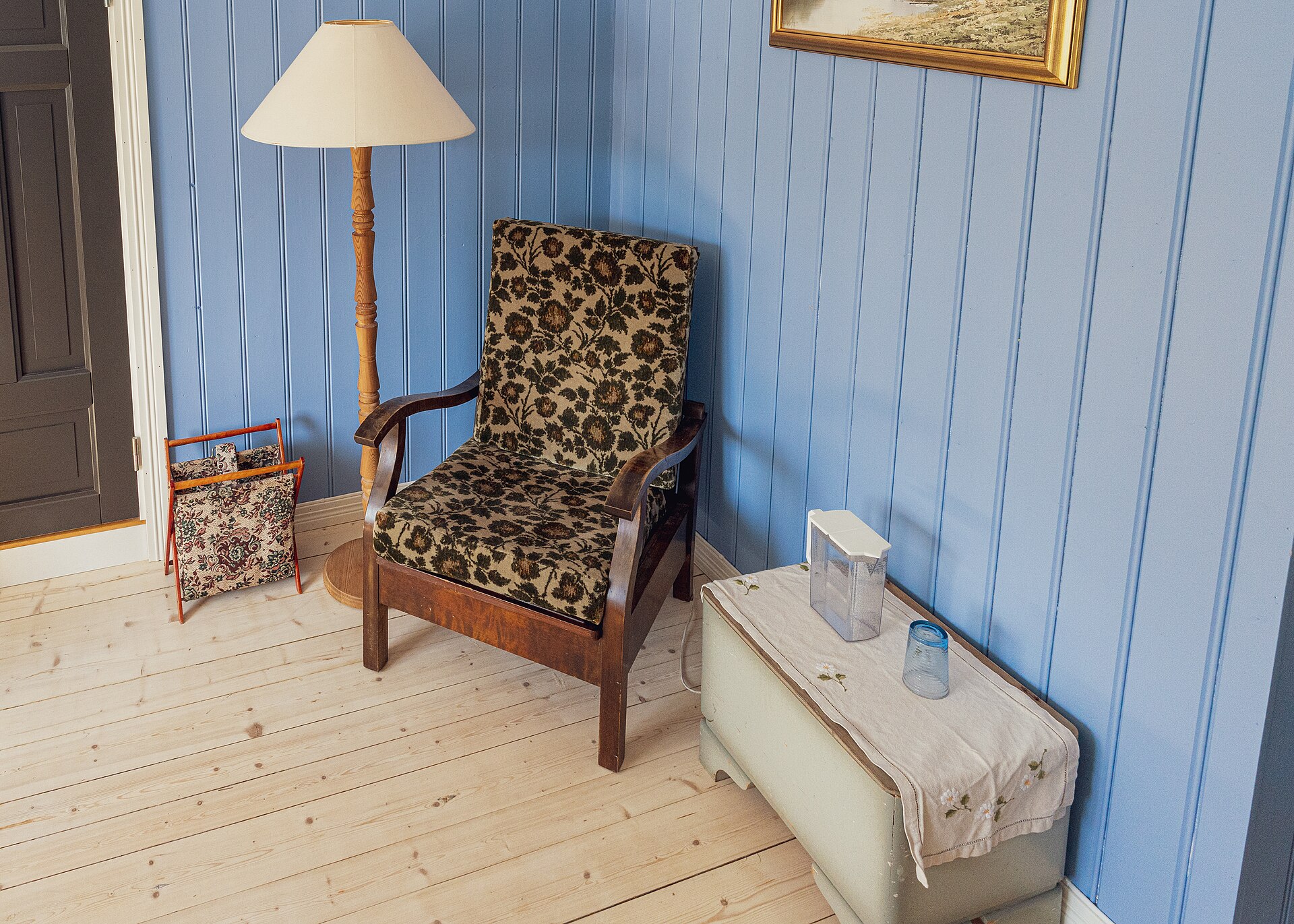
- A reading nook with good light and a comfortable chair.
- A games shelf with board games and puzzles at the dining table.
- A hobby corner for crafts, music or model building.
- A backyard seating area or garden for evenings outside.
For inspiration, see our post on reading nooks in bungalows.
Bungalow tip: Create household tech rules together, not top-down. People of all ages stick to rules they helped make.
Frequently asked questions
Which rooms should be tech-free?
Bedrooms and the dining table are the most common and effective choices. They protect sleep and conversation, which are easily disrupted by screens.
How do I stop using my phone in bed?
Charge it outside the bedroom, use a regular alarm clock and set an automatic do-not-disturb schedule. Replace scrolling with a book or quiet music.
Is a smart home at odds with tech balance?
Not necessarily. Smart routines can reduce screen time by automating tasks, like dimming lights and silencing devices at bedtime, without opening an app.
The bottom line on balancing digital life
A balanced home uses technology on purpose. Give devices a home of their own, protect bedrooms and meals, and choose gadgets that earn their place.
Looking for a bungalow layout with room for a quiet reading corner or separate office? Create listing alerts and we will send you homes that fit.
The newest bungalows on the market
Fresh listings, updated every 15 minutes.
 $525,00041 Fox Trail Drive, St. Catharines3 bed · 2 bath · 462 - Rykert/VansickleCourtesy of RE/MAX NIAGARA REALTY LTD, BROKERAGE
 $459,9001737 2nd Street W, Cornwall3+1 bed · 2 bath · 717 - CornwallCourtesy of RE/MAX AFFILIATES MARQUIS LTD.
 $938,00052 Devins Drive, Aurora3 bed · 2 bath · Aurora HeightsCourtesy of REAL ONE REALTY INC.
 $349,900109 Powerview Avenue, St. Catharines3 bed · 1 bath · 458 - Western HillCourtesy of ROYAL LEPAGE NRC REALTY
 $999,00022 Avondale Crescent, Aurora4 bed · 3 bath · Aurora VillageCourtesy of RE/MAX HALLMARK REALTY LTD.
 $819,9002409 Whaley Drive, Mississauga3 bed · 2 bath · CooksvilleCourtesy of SUTTON GROUP - SUMMIT REALTY INC.